To track HYROX on Strava, record it on your Garmin as one activity with a lap at every changeover. Garmin Connect then syncs it to Strava. As of October 2026, neither Garmin nor Strava has a HYROX activity type, and Strava splits most multisport files into separate activities when they're uploaded.
Key takeaways
- Once Garmin Connect and Strava are linked, new Garmin activities sync to Strava automatically.
- A HYROX session recorded as a run shows as "Indoor Run" in Garmin Connect. That's Garmin's naming, not a fault.
- Hybrid Smash names every lap in a Station field you can read in Garmin Connect.
How do you track HYROX on Strava?
Record HYROX on your Garmin as one activity, and Strava gets a copy through Garmin Connect.
HYROX is a fitness race of 8 km of running: 8 runs of about 1 km, each followed by one workout station in a fixed order. That's 16 segments, best kept together in one activity with a lap at every changeover.
- Link Garmin Connect to Strava once. In the Strava app (as of October 2026), go to Settings → Connect an App or Device → Garmin → Connect Garmin, then authorise in Garmin (on strava.com: My Profile → Social Connections → Connect with Garmin).
- Record one activity, not a multisport. Press LAP at every changeover in a Garmin Cardio activity, a run with GPS off or a Connect IQ app (every way to track HYROX on a Garmin).
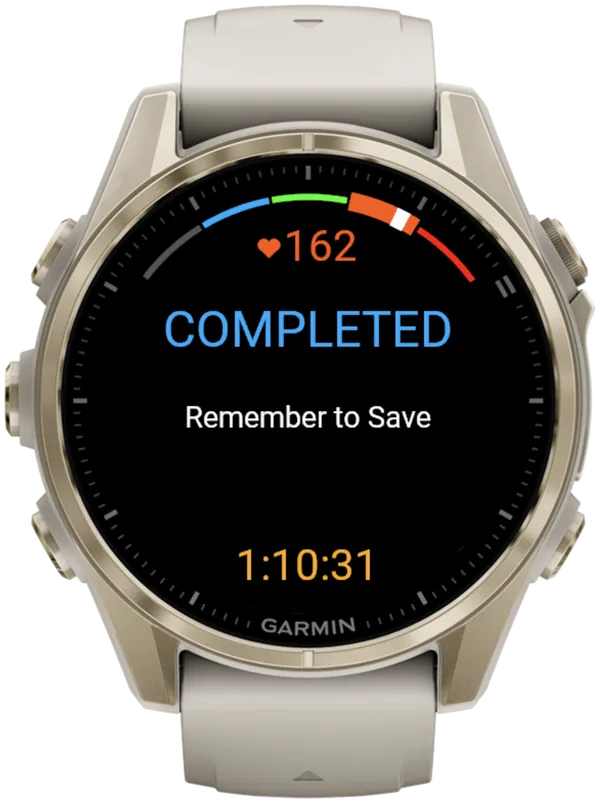
- Save it on the watch. In Hybrid Smash, open the menu on the COMPLETED screen and choose Save & Exit.
- Sync the watch with Garmin Connect. New activities then go to Strava automatically (Strava Support).
If a session reaches Garmin Connect but not Strava, check that Strava's Activities permission is still on in Garmin Connect.
If it never reached Garmin Connect, check that your watch synced with the Garmin Connect app first.
Which Garmin recording method works best with Strava?
One activity with a lap at every changeover works best. Strava Support says multisport files are split into separate activities on upload; it describes no split for a single activity.
Mixed Session is a generic Garmin multisport activity on newer watches that saves several activities as one.
| Method | In Garmin Connect | Station names in Garmin Connect | On Strava |
|---|---|---|---|
| Garmin Cardio activity | One Cardio activity, a lap per press | No | One activity, with no rep details (the5krunner) |
| Run with GPS off | One running activity, a lap per press | No | Follows your Garmin–Strava link like any other activity |
| Garmin custom multisport | One multisport activity (Garmin manual) | No | Usually split into separate activities (Strava Support, the5krunner) |
| Mixed Session | One activity with a time for each leg | No | Not stated |
| Hybrid Smash (ours) | One Indoor Run, Outdoor Run or Cardio activity, a lap per segment | Yes, a Station field on each lap | Follows your Garmin–Strava link like any other activity |
Strava Support, the5krunner (updated 3 Oct 2026) and Garmin manuals, checked 5 Oct 2026. Hybrid Smash V26.2 documentation, checked 6 Oct 2026. "Not stated": no source covers it.
Why does my HYROX session show as an Indoor Run in Garmin Connect?
As of October 2026, Garmin has no HYROX activity type. Garmin Connect names running activities "Indoor Run" or "Outdoor Run", whatever app recorded them.
Hybrid Smash can't change that name: it's Garmin platform behaviour.
Run Type is a per-workout Hybrid Smash setting (Indoor, Outdoor or Cardio). It decides how runs are measured and what Garmin Connect saves, as the table below shows.
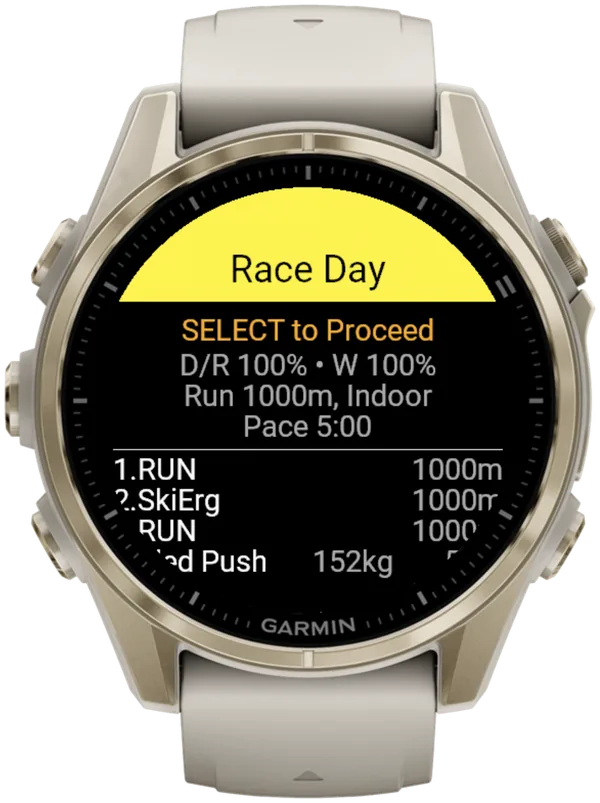
Race Day, Hyrox Sim and the ready-made workouts default to Indoor, so a race usually shows as an Indoor Run. A workout with no runs, such as Build 3: Strength Overload, always saves as Cardio.
If your stations seem to be missing from an Indoor Run, they aren't lost. Each one is its own lap, named in the Station field.
| Run Type | Saved as | Activity name | Live pace | Counts as a run |
|---|---|---|---|---|
| Indoor | Indoor Run | "Indoor Run" | Yes, wrist estimate | Yes |
| Outdoor | Outdoor Run | "Outdoor Run in …" with a place name | Yes, GPS | Yes |
| Cardio | Cardio | Usually "Hybrid Smash" | No, runs are timed | No |
Hybrid Smash V26.2 documentation, checked 6 Oct 2026.
Cardio leaves your VO2 max and Endurance estimates untouched, but gives no live pace.
On Indoor, pace and distance come from your watch's wrist sensor, which is an estimate: pace reads --:-- until you're moving. A paired footpod gives more reliable indoor pace.
Where are the station names in Garmin Connect?
Hybrid Smash writes each segment's name to a Station developer field on every lap.
It doesn't detect stations automatically: you press LAP at every changeover. The app already knows what comes next, so each press closes one segment and names the next.
A short buzz confirms every LAP press, so you don't have to look at the watch. After you save, the watch summary lists the same laps by name.
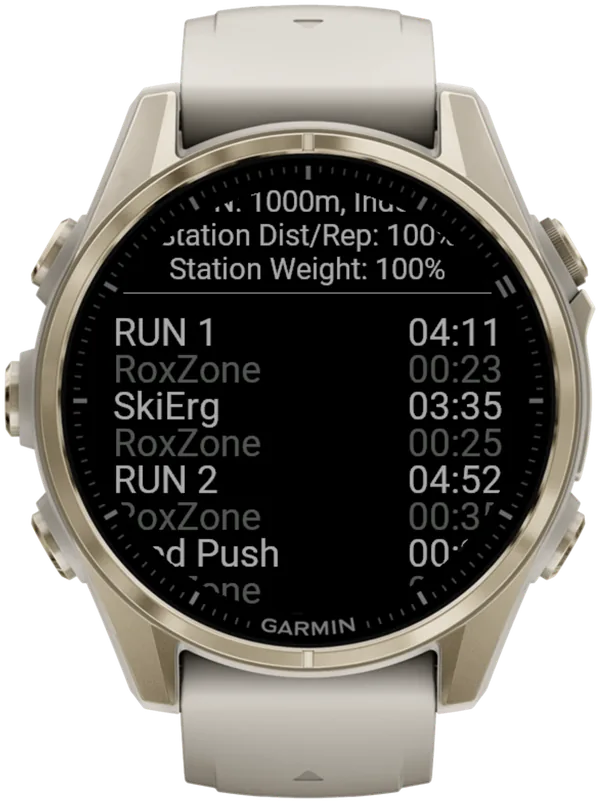
Session fields add Race Time, Total Run Time | Avg, Total Station Time and Total RoxZone Time. The Roxzone is the transition area between the running course and the workout stations.
With Rox Zones on (the default), Hybrid Smash times a Roxzone before Wall Balls, but official results don't. So your watch shows a shorter Run 8 and a longer Roxzone total than results.hyrox.com, even with perfect presses. That's why Run 8 differs from your official result.
To find the Station column, the Hybrid Smash user guide suggests this, as of October 2026: open the activity's Laps in the Garmin Connect phone app, turn the phone to landscape and scroll right.
What is Hybrid Smash?
Hybrid Smash is a Garmin Connect IQ watch app that tracks and paces HYROX races, simulations and workouts while you do them. One press of the LAP button per changeover, and every run, station and Roxzone is timed, labelled and saved to Garmin Connect.
It is a one-time purchase on the Connect IQ store with no account, no subscription and no phone needed while you train. It offers Race Day (the official sequence of 8 × 1 km runs and 8 stations, with station targets for your weight class), Hyrox Sim, Free Training (pick the next station on the watch as you go), 8 ready-made HYROX workouts and 3 custom workouts.
It is built for the balance between simplicity and the right features: a clean screen, few options and a design nobody needs a tutorial for.
- Three controls run the session: LAP for the next segment, DOWN to undo a mistaken press, SELECT for the menu.
- Saved to Garmin Connect as Indoor Run, Outdoor Run or Cardio, depending on the Run Type you pick, with every segment as a lap.
- Works on most current Garmin watches, including Forerunner, fēnix, epix, Venu and vívoactive models. Check your model on the Connect IQ store.
FAQ
Is there a HYROX mode or setting on Strava?
No. As of October 2026, Strava's list of supported sport types has no HYROX type. It includes Workout, HIIT, Crossfit and Weight Training. To change a synced activity's sport type, choose Edit, pick the sport and save (Strava Support). On strava.com, Edit is the pencil icon; in the app, it's in the ellipsis menu (upper right).
Why did my HYROX race upload to Strava as 16 activities?
Sixteen separate Strava activities from one race usually mean a Garmin multisport recording. According to Strava Support, its parser separates a multisport FIT file "into multiple activities during the upload process". For HYROX, the5krunner warns that "Strava will record each of the 16 legs separately". Record one activity with a lap per changeover instead.
Can you add your official HYROX splits to Strava?
Not automatically. According to the5krunner (updated 3 October 2026), official race timing data can't be synced to any sports data platform. It suggests adding an image of your official results page to the Strava activity's description. Your watch's own splits can be shared separately.
Sources
- Garmin and Strava, Strava Support. Accessed 5 October 2026.
- Supported Sport Types on Strava, Strava Support. Accessed 5 October 2026.
- How Do I Change My Activity Type?, Strava Support. Accessed 5 October 2026.
- Activity Split Tool, Strava Support. Accessed 5 October 2026.
- setup Hyrox on your Garmin Watch – everything you need to know about HYROX Sports Tech (WOD, AMRAP, CrossFit, Spartan), the5krunner, 31 March 2025, updated 3 October 2026. Accessed 5 October 2026.